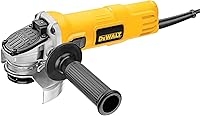
How to Use a Makita Angle Grinder
To use a Makita angle grinder, fit the correct guarded accessory, secure your work, and guide the tool with a firm two-handed grip. Follow the tool manual, wear eye and hearing protection, and let the wheel reach full speed before it touches the material.
On this page (8 sections)
- How do you set up a Makita angle grinder?
- How do you hold and start the grinder?
- How do you grind metal with a Makita angle grinder?
- How do you choose the right speed and accessory?
- What safety gear should you wear?
- What should you do if the grinder kicks back or binds?
- How do you finish and store the grinder?
- How to use a Makita angle grinder safely for your next job
To use a Makita angle grinder, install the right guarded accessory, secure the work, and guide the tool with a steady two-handed grip. For compact cordless options, compare the best mini cordless angle grinders.
Check the manual for your model, wear eye and hearing protection, and let the accessory reach full speed before making contact.
A grinder can remove material quickly, but the wheel can also catch, break, or throw sparks. Keep the guard in place, use an accessory rated for the grinder's speed, and make light, controlled passes.
How do you set up a Makita angle grinder?
Unplug a corded grinder or remove the battery before changing its accessory or adjusting the guard. Check the tool manual for the correct wheel, flange, guard, and installation steps for your model.
Inspect the wheel or brush for damage, then check that its size, arbor, and rated speed suit the grinder. Never use an accessory that is cracked, bent, worn, or missing its speed marking.
Position the guard between you and the accessory's open working area. Tighten the side handle on the side that gives you a secure grip and keeps your hands clear of the wheel.
Clamp the workpiece firmly to a stable surface. Clear away clutter and flammable materials, and make sure sparks and debris will not reach anyone nearby.
What should you check before using a Makita angle grinder?
Check the accessory, guard, handle, power source, and workpiece before starting. If any part is damaged or loose, stop and fix the setup before switching on.
Use a wheel designed for the task. For a flap disc, see how to use it on an angle grinder.
A grinding wheel, cutting disc, and wire brush work differently and may need different guards and operating positions.
Read the safety instructions supplied with both the grinder and the accessory. Our angle grinder guide explains how common grinder types and accessories fit different shop jobs.
How do you hold and start the grinder?
Hold the grinder with both hands, keep your body out of the wheel's path, and start it before it touches the material. Let the accessory reach full speed before easing it into the work.
Stand with balanced footing and keep your face away from the wheel. Hold the main grip firmly, use the side handle, and keep fingers away from the accessory and its path.
Check the switch and restart behavior in your model's manual before connecting power. Use the controls deliberately, and switch off if you lose your grip or the tool begins to vibrate unusually.
A paddle-switch model may suit you if you want a grip that turns the tool off when you release the paddle, but control layouts vary. Compare Makita paddle-switch angle grinders if you are choosing a grinder.
How do you grind metal with a Makita angle grinder?
Move the wheel across the metal with light pressure and steady motion. Keep the wheel at the angle recommended for the accessory, and avoid twisting or forcing it into the work.
Let the wheel do the cutting or grinding. Pressing harder can overheat the work, wear the accessory faster, or make the grinder harder to control.
Make short passes and check the result often. Stop if the wheel binds, the tool kicks, or you see damage, excessive vibration, or an unexpected change in sound.
For a cutting disc, keep the disc straight in the cut and don't turn or bend it while it is engaged. Use the type of guard and cutting position specified in the tool manual.
Can you use a wire wheel on a Makita angle grinder?
Use a wire wheel only when its arbor, diameter, speed rating, and guard match your grinder. Wire brushes can throw broken wires, so wear eye and face protection and keep bystanders clear.
A wire brush can help clean metal or remove surface rust. Don't push hard; guide the brush lightly and keep its working face from digging into the workpiece.
The DEWALT DW4930 is a 4-inch cable-twist wire wheel with crimped wire and an internal holding plate. Confirm its fit and speed rating against your specific Makita grinder before use.
A 6-inch bench wire wheel is for a bench grinder, not a handheld angle grinder. The DeWalt Accessories DW4904 is a crimped wire wheel brush with a 5/8-1/2 arbor, so use it only with a compatible bench grinder setup.
How do you choose the right speed and accessory?
Use only an accessory with a maximum speed rating at or above your grinder's no-load speed. If the accessory doesn't show a suitable rating, don't use it.
Some Makita grinders have variable speed controls, while others run at a fixed speed. Match the accessory to the tool's speed range and follow its use instructions.
A variable-speed model can help when a brush or finishing accessory calls for a slower speed. See our best variable-speed angle grinders for a broader comparison, or best variable-speed Makita angle grinders for Makita options.
For larger grinding jobs that stay at a workbench, a fixed grinder may be easier to position. The DEWALT DW758 is an 8-inch bench grinder with a 3/4 HP induction motor and 3,600 rpm operating speed.
Read our bench grinder vs pedestal grinder comparison if you're deciding between stationary setups. For a handheld grinder with a larger wheel, see 7-inch angle grinders.
What safety gear should you wear?
Wear eye protection and hearing protection, and add a face shield when the task can throw sparks or debris. Use gloves and work clothing suited to the job, keeping loose sleeves, jewelry, and long hair away from the rotating accessory.
Grinding creates sparks and sharp debris. Keep other people out of the work area, and don't grind near fuel, solvents, sawdust, or other materials that can catch fire.
Use respiratory protection when the material or task creates harmful dust, following the material safety guidance. Don't grind unknown coatings or materials until you know what they contain and how to control exposure.
Check that the power cord, battery, and switch are in good condition. Keep the cord behind the tool and away from sparks and the rotating accessory.
What should you do if the grinder kicks back or binds?
Release the switch and keep a firm grip if the wheel catches or the tool kicks. Don't try to force the accessory through a bind or restart while it is still touching the work.
Wait until the wheel stops, then disconnect power before checking the setup. Look for a pinched disc, loose workpiece, damaged accessory, or a position that could cause the wheel to catch.
A cutting disc can bind if the work shifts or closes around it. Support the material so the cut stays open, and don't twist the grinder to widen a cut.
If the tool or accessory is damaged, stop using it. Replace damaged accessories with compatible ones and have a faulty grinder checked by a qualified service provider.
How do you finish and store the grinder?
Switch off and wait for the accessory to stop fully before setting the grinder down. Disconnect power before removing the accessory, cleaning the tool, or putting it away.
Brush away metal dust only after the tool is disconnected and cool. Check the guard, handle, cord or battery, and accessory for damage before storing them.
Keep wheels and brushes dry and protected from impacts. Follow the accessory maker's storage instructions, since damaged or damp accessories may be unsafe to use.
How to use a Makita angle grinder safely for your next job
For handheld grinding, fit a compatible wheel and make light passes with the guard in place. For rust removal, use a compatible wire brush and keep your face protected from flying wires.
Choose a variable-speed grinder when the accessory calls for speed adjustment, and a stationary bench grinder for work that can be held safely at a fixed station. If you're working overhead or at an awkward reach, check whether an angle grinder extension pole is designed for your tool and task.
Frequently asked questions
Can you use a Makita angle grinder to remove rust?
Yes, a wire brush can remove rust when it is approved for your grinder and suited to the work. Check the brush speed rating and arbor fit, keep the guard in place, and hold the tool so sparks and debris move away from you and others.
Avoid pressing hard.
Which way should sparks fly when grinding?
Direct sparks away from your body, other people, and flammable materials. The exact direction depends on the grinder, wheel, workpiece, and cutting or grinding position, so follow Makita's manual and keep your stance outside the likely debris path.
Should I remove the guard from an angle grinder?
No. Keep the correct guard installed and positioned between you and the wheel.
A guard helps contain debris if an accessory breaks and can reduce exposure to sparks.
Use only accessories that fit the grinder and guard as specified in the manual.
Can I use a bench grinder instead of an angle grinder?
A bench grinder suits fixed grinding at a workbench, while an angle grinder is handheld for work on larger or fixed pieces. Choose based on the shape and position of the job, the accessory required, and the tool maker's instructions.
Secure the work either way.